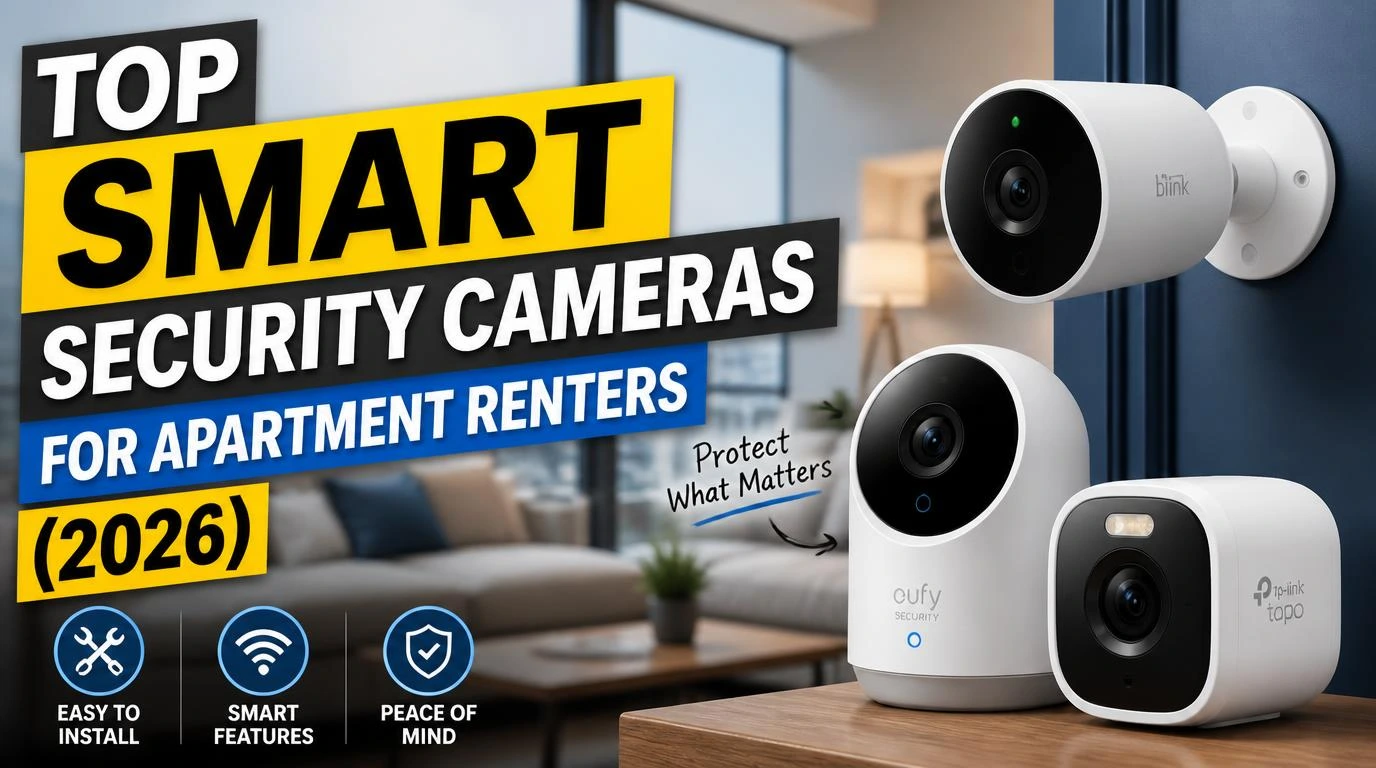
When I moved into my third apartment in four years, finding the top smart security cameras for apartment renters became a personal mission. My last place had zero security, a ground-floor unit with a flimsy lock, and I spent way too many nights second-guessing every noise in the hallway. The problem? Most security cameras require drilling, wiring, or modifications that violate lease agreements. I needed something effective that wouldn’t cost me my deposit. After buying, testing, and returning more cameras than I’d like to admit, I finally found what actually works.
What Makes a Security Camera Renter-Friendly?
Before I get into specific picks, you need to know what separates a renter-friendly camera from one designed for homeowners. The biggest factor is installation. If it requires screws in the wall, hardwiring, or any permanent mounting, it’s a problem for most leases.
Look for cameras with adhesive mounts, magnetic bases, or freestanding designs. Battery-powered or plug-in models are your best friends. You also want something that connects to Wi-Fi without needing a separate hub or base station, because the fewer devices cluttering your apartment, the better.
Cloud storage versus local storage matters too. Some cameras charge monthly subscriptions for cloud recording. Others let you pop in a microSD card and store footage locally for free. Both approaches work, but knowing the ongoing cost upfront saves you frustration later.
1. Blink Mini 2: Best Budget Indoor Camera
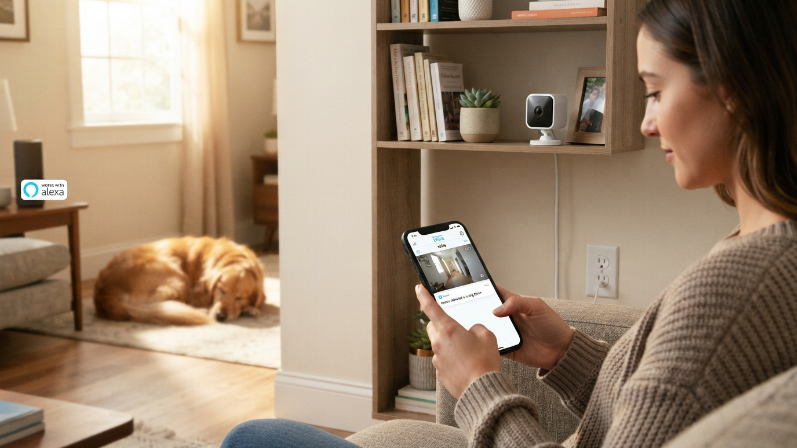
The Blink Mini 2 is where I tell most friends to start. At around $30, it’s ridiculously affordable, and it punches way above its price.
It records 1080p video, has decent night vision, and plugs into any standard outlet. Setup took me about four minutes using the Blink app. You get motion detection alerts on your phone, two-way audio, and it works with Alexa if you’re already in the Amazon ecosystem.
The catch? You’ll want a Blink subscription plan (about $3 per month) for cloud storage and video history. Without it, you only get live view and motion alerts. Still, for a renter on a budget who wants basic indoor monitoring, this is the easiest recommendation I can make.
2. Google Nest Cam (Battery): Best Wire-Free Indoor/Outdoor Option
This one became my personal daily driver. The Google Nest Cam battery version needs zero wires and zero drilling. It comes with a magnetic mount that attaches to metal surfaces, or you can set it on a shelf indoors. I stuck mine on top of my bookcase near the front door.
The image quality is excellent, 1080p HDR with solid night vision. Google’s intelligence really shines here with person detection, package detection, and animal alerts built in for free. You get three hours of event-based cloud recording at no cost.
If you want 24/7 recording history, you’ll need a Nest Aware subscription starting at $8 per month. The battery lasts about two to three months with moderate activity, which I found pretty accurate in my apartment. Charging takes a couple hours with the included USB-C cable.
3. Ring Indoor Cam (2nd Gen): Best for Alexa Smart Homes
Ring and Amazon are basically joined at the hip, so if your apartment already has Echo devices, the Ring Indoor Cam fits seamlessly.
At around $45, it’s compact and sits on any flat surface. The privacy shutter is a physical cover you can slide over the lens when you’re home, which I genuinely appreciate because no one wants to feel surveilled in their own living room. Video quality is 1080p with color night vision, and motion zones let you customize which areas trigger alerts.
Ring does lean heavily on its subscription model. Without Ring Protect ($4 per month), you only get live view. No recorded clips, no video history. That’s the honest trade-off here. If you’re fine with paying the monthly fee, the whole Ring ecosystem with doorbell cameras and sensors becomes a powerful setup even for renters.
4. Wyze Cam v4: Best Value With Local Storage
Wyze has built a reputation on making surprisingly good cameras for very little money. The Wyze Cam v4 costs about $36 and includes features you’d expect from cameras twice the price.
It records 2K QHD video (sharper than standard 1080p), has color night vision, and supports a microSD card for local storage with no subscription required. That last part is huge if you’re tired of monthly fees eating into your budget. You can still opt for Wyze’s Cam Plus plan at $2 per month for AI-powered person and package detection, but the free tier is genuinely usable.
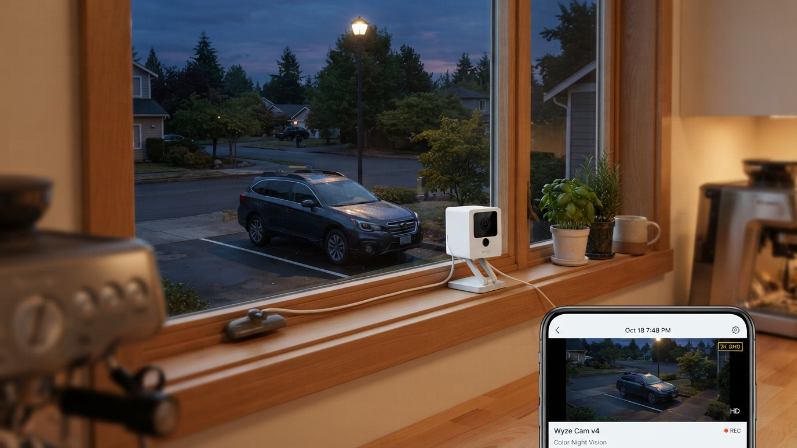
I kept a Wyze Cam v4 in my kitchen window pointed toward my parking spot. The image clarity impressed me, and I never had to pay a dime beyond the camera itself. The only downside is that the app can feel cluttered with ads for other Wyze products, which gets mildly annoying.
5. Arlo Essential Indoor Camera (2nd Gen): Best for Privacy-Focused Renters
Privacy matters, especially in a small apartment. Arlo built this camera with an automated privacy shield that physically covers the lens when you disarm the system. No worrying about whether the camera is actually off.
It records 2K video with a 130-degree field of view, covers a wide area without needing multiple cameras. Two-way audio works well, and the built-in siren can scare off anyone who shouldn’t be there. It connects directly to Wi-Fi, no Arlo hub needed.
Arlo offers a free plan that includes 30-day cloud storage for a limited number of recordings. Their paid Arlo Secure plan at $8 per month adds richer notifications and priority support. I found the free tier surprisingly generous compared to competitors. If you care about knowing exactly when your camera is watching, this is the one.
6. TP-Link Tapo C120: Best Hidden Gem
Most people haven’t heard of the Tapo C120, and that’s a shame because it quietly outperforms cameras from bigger brands.
For under $30, you get 2K QHD recording, starlight night vision (which genuinely produces brighter images than standard IR), and a built-in spotlight. It supports microSD storage up to 512GB, so you can record continuously for weeks without paying for cloud storage. The Tapo app is clean and fast, with smart detection for people, pets, and vehicles included at no extra cost.
I placed this camera near my apartment’s back sliding door. The starlight sensor captured details in low light that my Blink and Ring cameras completely missed. If you want maximum features at minimum cost with no subscriptions, the Tapo C120 is genuinely hard to beat. The only real weakness is brand recognition, meaning fewer integrations with smart home platforms beyond Google and Alexa.
How to Choose the Right Camera for Your Apartment
Picking from these options comes down to three questions. First, what’s your budget? If you’re spending under $35, the Blink Mini 2, Wyze Cam v4, or Tapo C120 all deliver. For a bit more, the Google Nest Cam or Arlo Essential add polish and smarter features.
Second, how do you feel about subscriptions? Wyze and Tapo offer strong free tiers with local storage. Blink, Ring, and Nest lean harder into monthly plans. That $3 to $8 per month adds up over a year.
Third, where does the camera live? Indoor-only cameras like the Blink Mini 2 or Ring Indoor Cam work perfectly on shelves and counters. The Google Nest Cam battery version gives you the flexibility to move between indoor and outdoor spots without rewiring anything.
One tip from my experience: start with one camera covering your front door or main entry point. That single camera captures the majority of security-relevant footage. You can always add more later.
Tips for Installing Security Cameras Without Violating Your Lease
Your landlord probably won’t love holes in the walls. Here’s what I’ve learned after setting up cameras across multiple apartments.
Use command strips or adhesive mounts whenever possible. Most lightweight cameras (under 8 ounces) hold perfectly fine on a 3M adhesive strip. I’ve had cameras mounted this way for over a year with zero issues.
Keep cameras indoors pointed at entry points rather than mounting them outside. You avoid any disputes about exterior modifications, and you still capture anyone entering your space. If you do want outdoor coverage, battery-powered cameras like the Google Nest Cam can sit in a window. Just know that recording through glass reduces motion detection accuracy.
Always check your lease language about “alterations” and “security devices.” Some landlords actually encourage cameras. A quick text or email asking for written permission covers you completely. IMO, most landlords prefer tenants who care about security over tenants who don’t.
FAQs
Can I use a smart security camera in my apartment without Wi-Fi?
Most smart cameras require Wi-Fi for alerts and cloud features. However, some models like the Wyze Cam v4 and Tapo C120 can record to a microSD card even if the internet goes down. You won’t get real-time phone notifications without Wi-Fi, but the footage still saves locally on the card.
Do apartment security cameras work through windows?
They technically work, but motion detection suffers. Most cameras use passive infrared sensors to detect movement, and glass blocks those signals. You’ll likely need to switch to pixel-based motion detection in the app settings. Night vision also creates glare on glass, so disable IR and rely on ambient light or a camera with color night vision.
What are the top smart security cameras for apartment renters on a tight budget?
The Wyze Cam v4 and TP-Link Tapo C120 offer the best bang for your buck, both under $36 with free local storage and no mandatory subscriptions. The Blink Mini 2 is another solid choice around $30, though it works best with a low-cost subscription plan for video history.
Will my landlord let me install a security camera?
Most landlords allow indoor cameras since they don’t modify the property. Outdoor installations are trickier and often require explicit permission. The safest move is to email your landlord, explain you’re using a non-invasive, removable camera, and ask for written approval. I’ve never had a landlord say no when I framed it that way.
Do I really need a subscription for a security camera?
Not necessarily. Cameras like the Wyze Cam v4 and Tapo C120 offer free local storage on microSD cards, which gives you continuous recording without monthly fees. Subscriptions add features like AI-powered alerts, longer cloud history, and remote clip access. They’re nice to have but absolutely not required for basic apartment security.
Conclusion
Finding the right security camera for a rental apartment doesn’t have to be complicated or expensive. Every camera on this list works without drilling, plays nice with lease agreements, and actually delivers reliable security footage when it counts. Which one are you leaning toward for your place?