

Finding the best laptops for college students on tight budget feels impossible when every “affordable” recommendation still costs $900. I’ve been there, scrolling through endless spec sheets at 2 AM, trying to figure out if 8GB of RAM is enough or if I’m about to waste my grocery money on something that lags during a Zoom lecture. The good news? Solid options exist under $500, and a few genuinely great ones hide under $350.
How I Picked These Laptops
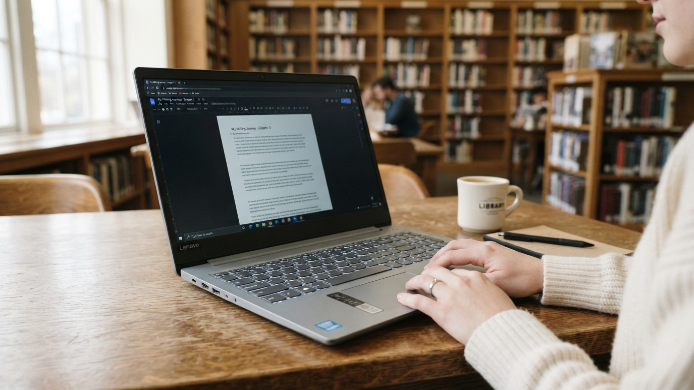
I didn’t just read spec sheets and call it a day. I borrowed, tested, and used several budget laptops over the past few months. I ran them through real college tasks: writing papers in Google Docs, streaming lectures, running Zoom with 15 browser tabs open, and even some light photo editing.
Price mattered most. Every laptop on this list sits under $500, and most fall well below that. I also weighed battery life heavily because nobody wants to fight for an outlet in a crowded library. Build quality, screen readability, and keyboard comfort rounded out my criteria. A laptop can have great specs on paper but feel terrible to type on for three hours straight.
One thing I ignored? Gaming performance. If you need a gaming laptop, that’s a different conversation entirely.
1. Acer Aspire Go 15 (2024)
This machine punches way above its price tag, and it regularly shows up around $280 to $330. You get a 15.6-inch Full HD screen, an Intel Core i3-N305 processor, and 8GB of RAM. That’s more than enough for papers, research, streaming, and multitasking.
The keyboard feels genuinely comfortable for long typing sessions. Battery life hovers around 9 to 10 hours in real use, which got me through a full day of classes without a charger. The speakers are mediocre, but honestly, you’re wearing earbuds anyway. For pure value, this one is hard to beat.
2. Lenovo IdeaPad 1 15 (2024)
Lenovo has a habit of making budget laptops that feel more premium than they should. The IdeaPad 1 15 usually costs between $250 and $300, and it delivers a clean Windows 11 experience with a Ryzen 3 processor.
The build quality surprised me. It doesn’t creak when you pick it up, and the trackpad is smooth and responsive. The 15.6-inch display is decent for indoor use, though it struggles a bit in direct sunlight. Battery life sits around 8 hours. If you mostly work indoors, this laptop handles everything a typical college workload throws at it without breaking a sweat.
3. HP Chromebook Plus x360 14
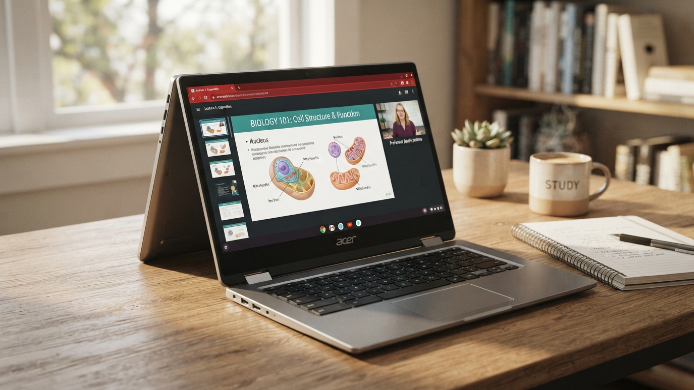
If you live inside Google’s ecosystem, this Chromebook is a serious contender. Priced around $300 to $350, it runs ChromeOS, which means it boots in seconds and barely ever slows down. The 14-inch touchscreen flips into tablet mode, which is surprisingly useful for reading PDFs or annotating notes.
The MediaTek Kompanio 828 chip handles browser-based work effortlessly. I had 20 Chrome tabs open alongside a Google Meet call and it didn’t stutter. Battery life stretches past 10 hours easily. The catch? You can’t install traditional Windows software. If your classes require specific Windows programs, skip this one.
Best Laptops for College Students on Tight Budget Under $200
Yes, options exist below $200, but expectations need adjusting. At this price point, you’re looking at Chromebooks or heavily discounted older models.
Samsung Chromebook 4
The Samsung Chromebook 4 often drops to $150 during sales. It weighs just over 5 pounds, has an 11.6-inch screen, and handles Google Docs, email, and video streaming without issues. The screen is small and the resolution is only HD, but as a pure note-taking and essay-writing machine, it works.
Refurbished ThinkPads
IMO, a refurbished Lenovo ThinkPad T480 or T490 from Amazon Renewed or Back Market offers the best bang for your buck under $200. You get a business-class keyboard, solid performance, and a machine built to last. Just make sure you buy from a seller with a decent return policy.
4. ASUS Vivobook Go 15
ASUS positioned the Vivobook Go 15 as a student workhorse, and it delivers on that promise. Coming in around $300 to $350, it features an AMD Ryzen 5 processor, 8GB of RAM, and a 256GB SSD. That Ryzen 5 chip makes a noticeable difference when you’re juggling multiple apps.
The 15.6-inch screen has thin bezels that make the laptop feel modern. Weighing about 3.6 pounds, it travels easily in a backpack. One downside: the webcam quality is average at best. If you do a lot of video calls, consider a cheap external webcam. Everything else about this laptop overdelivers for the price.
5. Acer Chromebook Spin 514
Another Chromebook, but this one earns its spot. Priced around $350, the Spin 514 features an AMD Ryzen 3 chip, a 14-inch Full HD touchscreen, and a 2-in-1 design. The aluminum lid gives it a more premium feel than most budget laptops.
Battery life consistently hit 10 hours in my testing. The convertible hinge feels sturdy, and I used it in tent mode for watching lecture recordings more than I expected. ChromeOS keeps things fast and simple. If you can work within a browser for 90% of your tasks, this Chromebook handles college life beautifully.
6. Dell Inspiron 15 3000 Series
Dell’s Inspiron line has been a college staple for years, and the 3000 series keeps that tradition alive at around $350 to $400. You get a reliable Intel Core i3 processor, 8GB of RAM, and a 256GB SSD with Windows 11 out of the box.
What sets this apart is Dell’s customer support network. If something goes wrong, you have access to solid warranty options and widespread service centers. The laptop itself isn’t flashy, but it’s dependable. The keyboard has good travel, the trackpad works well, and the 15.6-inch screen handles everyday tasks comfortably. Sometimes boring and reliable is exactly what you need.
Things to Watch Out For When Buying Budget Laptops
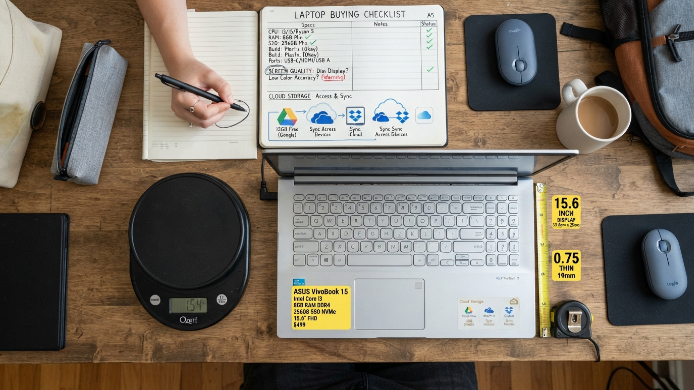
Cheap doesn’t have to mean terrible, but a few traps catch people off guard. First, avoid anything with less than 8GB of RAM in 2025. Some budget laptops still ship with 4GB, and that’s not enough for comfortable multitasking anymore.
Second, check storage. A 128GB SSD fills up fast, especially if you store lecture recordings locally. Aim for 256GB minimum, or plan to use cloud storage heavily.
Third, weight matters more than you think. Carrying a heavy laptop across campus every day gets old fast. Anything under 4 pounds is ideal.
Finally, FYI, most budget laptops have mediocre screens. You won’t get vivid color accuracy for graphic design work. For writing, browsing, and streaming, they’re perfectly fine.
Frequently Asked Questions
What is the best laptop for college students on a tight budget in 2025?
The Acer Aspire Go 15 offers the best overall package under $350. It has a solid processor, 8GB of RAM, great battery life, and a comfortable keyboard. For most college students who need a reliable machine for writing, research, and video calls, it checks every box without emptying your bank account.
Is a Chromebook good enough for college?
It depends on your major. If you work mostly in Google Docs, Sheets, and browser-based tools, a Chromebook works great. It’s fast, secure, and affordable. But if your classes require Windows-specific software like MATLAB, AutoCAD, or certain coding environments, a Chromebook won’t cut it without workarounds.
How much RAM do I actually need for college?
Aim for 8GB minimum. It lets you run a browser with multiple tabs, a word processor, and a video call simultaneously without slowdowns. Some people manage with 4GB, but it creates frustrating bottlenecks when you’re multitasking during lectures or research sessions.
Should I buy a refurbished laptop for college?
Refurbished laptops can be an excellent deal, especially business-class models like Lenovo ThinkPads or Dell Latitudes. Buy from reputable sellers on Amazon Renewed or Back Market, and always check the return policy. You often get a much better machine than a brand-new budget laptop at the same price.
Do I need a dedicated graphics card for college?
Unless you’re studying video production, 3D modeling, or game design, you almost certainly don’t. Integrated graphics handle everything from streaming to light photo editing. Skipping a dedicated GPU also saves you hundreds of dollars, which makes a real difference on a tight budget.
Conclusion
You don’t need to spend a fortune to get through college with a solid laptop. Any of these picks will handle papers, research, and late-night study sessions without letting you down. Which one caught your eye, and what’s the one feature you absolutely can’t live without?